


Mack Truck Fault Codes Reading
Mochester App Fault Codes Read solutions for:
How to get
1. Select a Service
Check available tuning solutions in the Mochester App for your truck.
2. Pay for Your Order
Top up your wallet on https://dl.ge/ for the amount of the chosen solutions.
3. Get Your Solution
Return to the Mochester App and get the solutions.




15+ Years of Experience
Professional ECU programming for commercial vehicles since 2009.

Official DrunkLab Software
Original engineering solutions developed by the DrunkLab team.

Fast Turnaround
Most tuning sessions are completed in 25 minutes or less.

Compatibility Table
Model | Type | Year | Adapter | Link |
|---|---|---|---|---|
MP7 EPA04/US04 | Truck | 2006-2007 | RP 1210 | |
MP10 EPA04/US04 | Truck | 2006-2007 | RP 1210 | |
MP7 EPA07/US07 | Truck | 2007-2009 | RP 1210 | |
MP8 EPA07/US07 | Truck | 2007-2009 | RP 1210 | |
MP10 EPA07/US07 | Truck | 2007-2009 | RP 1210 | |
MP7 EPA10/US10 | Truck | 2010-2013 | RP 1210 | |
MP8 EPA10/US10 | Truck | 2010-2013 | RP 1210 | |
MP10 EPA10/US10 | Truck | 2010-2013 | RP 1210 | |
MP7 EPA14/US14 | Truck | 2014-2017 | RP 1210 | |
MP8 EPA14/US14 | Truck | 2014-2017 | RP 1210 | |
MP10 EPA14/US14 | Truck | 2014-2017 | RP 1210 | |
MP7 EPA17/US17 | Truck | 2017-PT | RP 1210 | |
MP8 EPA17/US17 | Truck | 2017-PT | RP 1210 | |
MP10 EPA17/US17 | Truck | 2017-PT | RP 1210 |
How to use the Mochester App
Download
Install and launch the Mochester App. Sign in using your dl.ge account and click Login.
Connect
Tap Start Connecting, follow the on-screen steps, and wait while your vehicle is identified. Click Next to load available tuning solutions.
Top-Up
On dl.ge, open Wallet, select WALLET TOP-UP, enter the required amount, complete the payment, then return to the Mochester App.
Proceed to tuning
Select one or more tuning solutions, click Next, confirm with your one-time password, and wait while the download completes and flashing starts automatically.
Processing
Wait until flashing is complete while monitoring the progress bar. A detailed report will be generated, and your selected features will be ready to use.



What is Mack Truck Fault Codes Reading?
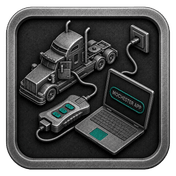
Mack Truck fault code reading utilizes diagnostic trouble codes (DTC) written in electronic control systems of trucks. During operations, if sensors discover irregularities in key components (engine systems, transmission systems, emission systems, etc.) of the vehicle, DTCs are documented. However, reading advanced truck systems fault codes is helpful in diagnosing issues involving contract execution, estimation of malfunction recovery duration /diminished vehicle systems reliability. Reading fault codes is useful as an advanced diagnostic technique for improved vehicle systems maintenance reliability.
Reading fault codes for Mack trucks helps in accurately identifying and troubleshooting truck problems using the standardized Diagnostic Trouble Codes (DTCs). As trucks become more advanced, DTCs provide a valuable method of solving an issue for timely repairs and maintenance.
Advantages of Using the Mochester App (M4 App)
- Free Error Reading: With the Mochester App, users have the ability to search for error codes for Mack, Volvo, Renault, UD trucks, buses, Volvo CE, and Volvo Penta vehicles post-2004 for free.
- Comprehensive Diagnostic Tools: The M4 app allows you to quickly identify any issues with the vehicle, and helps you ensure the vehicle is operating at its peak.
- User-Friendly Interface: the Mochester app is designed to offer an easy to use interface through a simple and straight forward approach.
- Remote Access: Remote diagnostics and maintenance simplifies and reduces time spent on the task.
Mack Truck Fault Codes Read Advantages and Disadvantages
Advantages:
- Understanding Truck DTCs: Diagnostic Trouble Codes, or DTCs, are standardized ways of stating and identifying truck issues. This helps quickly recognize and fix a problem.
- Operation of Truck Fault Codes: Each DTC corresponds to a specific problem detected by the sensors in truck's systems, triggering warning signals and dashboard notifications.
- Types of Truck Fault Codes: Two primary kinds exist: critical codes meaning severe situations and non-critical codes pointing out lower priority issues that still need to be resolved.
- Importance of Truck Trouble Codes: DTCs are very important in making sure that fleets are being maintained properly. This helps in describing the problem’s diagnosis timely and in resolving the problem so that the automobile can operate at the peak.
Disadvantage:
- Potential Misinterpretation: Misunderstanding fault codes can result in misguided troubleshooting steps and possible misdiagnosis.
Conclusion
The Mochester App is user-friendly, and all-in-one diagnostics. We help truck owners quickly and easily diagnose and solve problems so the vehicles run well and have little downtime.
FAQ
How to tune the Mack Truck via the M4 App?
How does Mack Truck configuration tuning benefit owners?
Mack Truck owners get to enjoy improvements to their daily operations such as increased overall vehicle efficiency and fuel economy as well as the ability to alter their vehicles' settings to meet their day-to-day custom needs.
How Are Fault Codes on Mack Trucks Designed?
When Mack Trucks detect irregularities, certain sensors trigger fault codes.
When you see a Mack truck Fault Code, what steps do you take?
Identify the problem using a diagnostic tool or a manual, and determine how to fix it.
What does it mean if I keep getting a Mack Truck Fault Code?
If the code keeps reappearing, it represents a problem outside the scope of the typical fault code. A more detailed inspection of the mechanical and/or electronic pathways may be needed.
What are the classifications of fault codes?
Fault codes can be classified as critical (urgent issues) and non-critical (warning issues and minor issues).