


Remote Tuning
How to get
1. Select a Service
Check available tuning solutions in the Mochester App for your truck.
2. Pay for Your Order
Top up your wallet on https://dl.ge/ for the amount of the chosen solutions.
3. Get Your Solution
Return to the Mochester App and get the solutions.




15+ Years of Experience
Professional ECU programming for commercial vehicles since 2009.

Official DrunkLab Software
Original engineering solutions developed by the DrunkLab team.

Fast Turnaround
Most tuning sessions are completed in 25 minutes or less.

How to use the Mochester App
Download
Install and launch the Mochester App. Sign in using your dl.ge account and click Login.
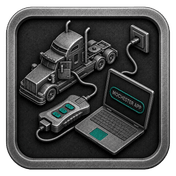
Connect
Tap Start Connecting, follow the on-screen steps, and wait while your vehicle is identified. Click Next to load available tuning solutions.
Top-Up
On dl.ge, open Wallet, select WALLET TOP-UP, enter the required amount, complete the payment, then return to the Mochester App.
Proceed to tuning
Select one or more tuning solutions, click Next, confirm with your one-time password, and wait while the download completes and flashing starts automatically.
Processing
Wait until flashing is complete while monitoring the progress bar. A detailed report will be generated, and your selected features will be ready to use.
What is remote truck tuning and how does the Mochester App work?
Remote truck tuning is a process that allows ECU programming, diagnostics, configuration changes, fault-code reading, stock programming, and performance optimization without visiting a dealership or tuning shop. Using Mochester App (M4 App) and a compatible diagnostic adapter, supported trucks, buses, construction equipment, and marine engines can receive remote software services directly through an internet connection, reducing downtime and simplifying maintenance.
Using the extensive Mochester App (M4 App) options developed by our team, truck, bus or CE owners get an access to a large set of services designed to remotely optimize the operation of vehicles. Below is an overview of some popular services provided via the M4 App, supplemented with technical details to emphasize the ease and convenience of remote configuration.
The Mochester App (M4 App) benefits
The M4 App is not just another tool – it's a highly professional solution born from the extensive experience of our engineers. Mochester App was created to ease some of the complications of TechTool software. It offers a seamless experience and solves problems with lag and busy screens. Unlike others, M4 App saves users the trouble of looking for crack keys and offers a reliable and easy to use a truck tuning solution.
The M4 App is exclusively available for Windows users. To get the latest version of the M4 App, visit the official website and download it today.
Remote DPF delete
The DPF delete option remotely disables the diesel particulate filter system, which is designed to trap soot and ash particles in exhaust gases. Over time, the DPF can become clogged, which leads to a truck performance decrease and an increase in fuel consumption. With the help of the M4 App, you can reduce fuel consumption, increase the efficiency of its combustion, and increase the service life of the engine. It is important to note that there is a need to physically remove the DPF from the truck.
Remote EGR delete
An EGR delete is when you remotely disable the exhaust gas recirculation system. This system returns a portion of the engine exhaust gases to the engine cylinders to reduce NOx emissions. This can lead to carbon accumulation and reduced combustion efficiency. Our specialists remotely change the ECU parameters via the M4 App, preventing the EGR valve from opening, thereby improving the combustion quality and engine power, reducing oil pollution.
Remote SCR/DEF delete
The SCR/DEF delete option is designed for a selective catalytic reduction system and the associated use of diesel exhaust fluid (DEF). The SCR system uses DEF, an urea solution, to convert NOx to nitrogen, water and CO2 in exhaust gases. Remote configuration of ECU parameters via the M4 App eliminates the necessity of DEF, reducing maintenance requirements and operating costs associated with DEF replenishment.
Remote Urea delete
Closely related to SCR/DEF delete, the urea delete option is specifically aimed at eliminating the trucks, buses or CE dependence on urea-based DEF. This can be achieved by remotely reprogramming the ECU to ignore the DEF dosing system, which avoids unnecessary DEF consumption and potential problems related with system failures or liquid refueling.
Remote increase of engine power
Use the M4 App service to remotely adjust the engine power increase by fine-tuning the fuel injection time, boost pressure, and air-fuel ratio within safe operating parameters. This service is aimed at unlocking the maximum safe potential of the engine, providing a noticeable improvement in performance.
Remote ECU stock adjustment
The ECU stock option of the Mochester App aims at restoring the vehicle's original factory settings. It includes a remote reset of the ECU stock parameters, and this is the best solution for trucks that have previously been modified and that need to be returned to standard specifications to meet requirements or for resale purposes.
Remote NOx delete
Using the M4 App, you can remotely adjust the ECU settings to disable NOx emission control protocols. This option works together with SCR and DPF delete system solutions.
Remote Restoring Tuning after ECM update
ECM updates at the dealership may overwrite individual settings, resulting in performance improvements loss. Our restoring settings service after an ECM update uses the M4 App to remotely re-make changes to the ECM, ensuring that your truck retains its optimized performance even after official software updates.
Remote Emission Derate Removal
Emission Derate Removal is a service aimed at responding to failures in the operation of the truck's emission control system. Using the M4 App, technicians remotely program the ECU, eliminating emission reduction conditions, restoring full engine power and operating efficiency.
Remote Configuration Tuning
In accordance with your individual needs, Configuration Tuning provides adjusted settings for particular hardware modifications or performance variations. Using the M4 App, specialists remotely configure the ECU for changes such as a gearbox modification, a fan type change or an update to the startup assistance system, ensuring optimal operation of the car in the new configuration.
Fault Codes Reading
At last, the complimentary Fault Codes reader service offers you an option for remote diagnostics on the M4 App, and you can read ECU error codes. This service enables early detection and problem solving and offers the chance to perform preventive maintenance to avoid expensive repairs on your truck.
FAQ
Is remote tuning safe for my truck?
When reliable and safe practices are followed, remote tuning for trucks is safe. Professionals have years of experience. Technicians take precautions to ensure that tuning modifications are compatible with the vehicle's hardware and do not compromise its reliability or safety.
How long does remote tuning take?
The time required for remote tuning varies depending on the complexity of the modifications and the specific tuning objectives. Simple adjustments may take only a short time, while more extensive modifications may require longer sessions.
Can remote tuning be reversed or adjusted if needed?
Absolutely, if needed the remote tuning adjustments can usually be undone. Tuning technicians can make more changes, or revert changes, needed to resolve certain tuning issues or preferences.
What services can be performed remotely through Mochester App?
Supported services include ECU tuning, horsepower uprates, stock programming, fault-code reading, configuration tuning, emissions-system solutions, emission derate removal, NOx solutions, and tuning restoration after ECM updates.
Which vehicle brands support remote tuning?
The Mochester App, depending on the model year and type of ECU, mainly tunes Volvo, Mack, Renault Trucks, UD Trucks, Prevost and Volvo Buses, Volvo Construction Equipment (CE), and Volvo Penta.
Do I need to visit a dealership for remote tuning?
No. Most supported services can be completed remotely using a laptop, internet connection, the Mochester App, and a compatible diagnostic adapter.
What equipment is required for remote tuning?
Normally, a remote tuning setup consists of a Windows-based laptop, internet connection, a diagnostic adapter, the Mochester App (M4 App), and the vehicle.
Can remote tuning help reduce vehicle downtime?
Yes. Remote services eliminate travel and scheduling delays, allowing many software-related issues to be addressed much faster than traditional workshop visits.
Is remote tuning available worldwide?
Yes. Remote tuning services are available to anywhere that a stable internet connection and compatible hardware allow.
Can remote tuning be performed on construction equipment and marine engines?
Yes. Supported Volvo CE machines and Volvo Penta engines can also receive various remote programming and diagnostic services through Mochester App.
How long does a typical remote tuning session take?
Most software procedures take anywhere from a few minutes to about an hour, depending on the vehicle platform, internet connection, and type of service being performed.