


Mack Truck Restoring Tuning After OEM ECM Update
Mochester App Restoring Tuning After OEM ECM Update solutions for:
How to get
1. Select a Service
Check available tuning solutions in the Mochester App for your truck.
2. Pay for Your Order
Top up your wallet on https://dl.ge/ for the amount of the chosen solutions.
3. Get Your Solution
Return to the Mochester App and get the solutions.




15+ Years of Experience
Professional ECU programming for commercial vehicles since 2009.

Official DrunkLab Software
Original engineering solutions developed by the DrunkLab team.

Fast Turnaround
Most tuning sessions are completed in 25 minutes or less.

Compatibility Table
Model | Type | Year | Adapter | Link |
|---|---|---|---|---|
MP10 | Truck | 2010-2015 | RP 1210 | |
MP7 | Truck | 2014-2017 | RP 1210 | |
MP8 | Truck | 2014-2017 | RP 1210 | |
MP10 | Truck | 2014-2017 | RP 1210 | |
MP7 | Truck | 2017-PT | RP 1210 | |
MP8 | Truck | 2017-PT | RP 1210 | |
MP10 | Truck | 2017-PT | RP 1210 |
How to use the Mochester App
Download
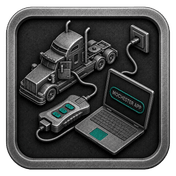
Install and launch the Mochester App. Sign in using your dl.ge account and click Login.
Connect
Tap Start Connecting, follow the on-screen steps, and wait while your vehicle is identified. Click Next to load available tuning solutions.
Top-Up
On dl.ge, open Wallet, select WALLET TOP-UP, enter the required amount, complete the payment, then return to the Mochester App.
Proceed to tuning
Select one or more tuning solutions, click Next, confirm with your one-time password, and wait while the download completes and flashing starts automatically.
Processing
Wait until flashing is complete while monitoring the progress bar. A detailed report will be generated, and your selected features will be ready to use.


What is Mack Truck Restoring Tuning After OEM ECM Update?
Mack Truck Restoring Tuning After OEM ECM Update refers to correcting ECM tuning post-dealer update. OEM updates can reset emissions configurations like the DPF and DEF and may reactivate OEM emissions systems. The restoration process is done to revert the ECM to the optimal, performance-based configurations to stabilize engine alterations, and minimize changes to the truck’s operational performance post factory tune updates.
Mack Truck Restoring Tuning After OEM ECM Update addresses the important topic of how dealership updates influence the performance of your truck's Engine Control Module (ECM). Updating systems can “turn back on” DPF and DEF functions that were previously turned off. This can lead to higher fuel costs and greater maintenance costs. It will use more fuel and drive up maintenance costs. More fuel will be used with higher maintenance costs. With the Mochester App, our solution prohibits ECM updates to restore performance and re-disables these systems.
Benefits of using the Mochester App
- Cost saving: It protects you from additional costs associated with greater fuel use and more frequent servicing caused by the reactivated DPF and DEF systems.
- Tailored Solutions: After the update, our engineers assess the specific ECM configuration of your truck and provide tailored DPF and DEF shut down function restoration.
- Support: Our team is present for full support for every step in the process to help you understand the changes you are making and to ensure you are comfortable with them.
Mack Truck Restoring Tuning After OEM ECM Update Advantages and Disadvantages
Advantages:
- An affordable way to avoid rising fuel costs and increased maintenance expenses.
- Restoring DPF and DEF shutdown functionalities ensures customized adjustments to guarantee best performance of the truck.
- Full assistance from our support engineers.
Disadvantage:
- Likely reliance on post-ECM update aftermarket solutions that are not consistently effective.
Conclusion
Facing performance changes in your truck's DPF and DEF systems after a dealership ECM update? Combining our know-how with the Mochester App, we help you keep your truck’s optimal performance, reliability, and cost saving. Contact us today for optimized performance solutions for your vehicle.
FAQ
How to tune the Mack Truck via the M4 App?
What is an OEM ECM update?
It is a manufacturer-issued software update that modifies or improves the engine control module’s functions.
Why do dealers perform ECM updates on Mack Trucks?
Updates improve functionality and compliance and improve software.
How does the Mochester App restore tuning settings after an OEM ECM update?
The Mochester App reinstates the previous custom settings of the ECU that the OEM ECM update had reset.
What problems can occur after an OEM ECM update?
Some cars may experience changes in performance or some prior tuning settings may revert.
When is restoring tuning after ECM update needed?
It’s usually required after a dealership service update that changes ECU settings or the emissions configuration.