


Mack Truck ECU Stock
Mochester App ECU Stock (Firmware programming) solutions for:
How to get
1. Select a Service
Check available tuning solutions in the Mochester App for your truck.
2. Pay for Your Order
Top up your wallet on https://dl.ge/ for the amount of the chosen solutions.
3. Get Your Solution
Return to the Mochester App and get the solutions.




15+ Years of Experience
Professional ECU programming for commercial vehicles since 2009.

Official DrunkLab Software
Original engineering solutions developed by the DrunkLab team.

Fast Turnaround
Most tuning sessions are completed in 25 minutes or less.

Compatibility Table
Model | Type | Year | Adapter | Link |
|---|---|---|---|---|
MP7 EPA04/US04 | Truck | 2006-2007 | RP 1210 | |
MP10 EPA04/US04 | Truck | 2006-2007 | RP 1210 | |
MP7 EPA07/US07 | Truck | 2007-2009 | RP 1210 | |
MP8 EPA07/US07 | Truck | 2007-2009 | RP 1210 | |
MP10 EPA07/US07 | Truck | 2007-2009 | RP 1210 | |
MP7 EPA10/US10 | Truck | 2010-2013 | RP 1210 | |
MP8 EPA10/US10 | Truck | 2010-2013 | RP 1210 | |
MP10 EPA10/US10 | Truck | 2010-2013 | RP 1210 | |
MP7 EPA14/US14 | Truck | 2014-2017 | RP 1210 | |
MP8 EPA14/US14 | Truck | 2014-2017 | RP 1210 | |
MP10 EPA14/US14 | Truck | 2014-2017 | RP 1210 | |
MP7 EPA17/US17 | Truck | 2017-PT | RP 1210 | |
MP8 EPA17/US17 | Truck | 2017-PT | RP 1210 | |
MP10 EPA17/US17 | Truck | 2017-PT | RP 1210 |
How to use the Mochester App
Download
Install and launch the Mochester App. Sign in using your dl.ge account and click Login.
Connect
Tap Start Connecting, follow the on-screen steps, and wait while your vehicle is identified. Click Next to load available tuning solutions.
Top-Up
On dl.ge, open Wallet, select WALLET TOP-UP, enter the required amount, complete the payment, then return to the Mochester App.
Proceed to tuning
Select one or more tuning solutions, click Next, confirm with your one-time password, and wait while the download completes and flashing starts automatically.
Processing
Wait until flashing is complete while monitoring the progress bar. A detailed report will be generated, and your selected features will be ready to use.




What is Mack Truck ECU Stock?
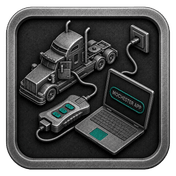
Mack Truck ECU Stock represents the factory default of the engine control unit software that controls functions of fuel delivery, transmission, engine control, and emissions management. This version of the ECU helps with the overall operation, provides reliability, and is compliant with emissions standards. ECU stock settings are generally restored when a software bug is rectified or when the truck is reverted back to its default factory settings.
The ECU is basically the brain of your Mack Truck. It controls essential features of the vehicle, including the transmission and the engine (and the power supply and the air suspension if the truck is equipped with them). Basically, when your Truck's ECU has problems, the rest of the truck has problems. Knowing what the ECU does and being able to identify the associated problems and symptoms will help you keep your Truck running well.
Advantages of Using the Mochester App (M4 App)
The Mochester App provides great benefits for Mack Trucks owners. This includes error diagnostics and resetting ECU firmware to factory settings. Also the users can:
- Diagnose Truck Errors: Make sure to quickly identify and solve truck issues at no cost to the customer.
- Restore ECU Firmware: Use the tuning module within the M4 App to reflash the ECU Firmware to stock in a variety of cases from replacement of the ECU, failed Flash programming, or simply prepping the vehicle for sale.
- User Friendly: The Mochester App provides a simple interface for Truck Owners to maintain and tune their Trucks. It provides the user with the tools to keep their Truck the way they want it.
Mack Truck EGR Delete Advantages and Disadvantages
Advantages:
- Reliability and Stability: ECU stock firmware is thoroughly examined and iteratively modified during intensive testing to measure performance and stability under various driving conditions. This drives up truck reliability.
- Emission Compliance: Utilizing the emissions compliant ecu stock helps ensure that you’re not violating emissions standards with your modified truck.
Disadvantages:
- Limited Customization: ECU stock firmware may come with aftermarket tuning as a method to adjust performance in a particular way, however, stock firmware might not offer aftermarket tuning thereby providing a method to customize fewer functionalities.
Conclusion
Via the Mochester App, Mack Truck ECU Stock is also proven to be reliable, stable, consistent, and emission compliant. Using ECU stock firmware and diagnostics, truck owners can keep their vehicles performing at their best while being latency, avoiding warranty issues, and quickly fixing any problems to save their vehicles from inefficient degrading.
FAQ
How to tune the Mack Truck via the M4 App?
What is a Mack Truck ECU Stock, and why is it essential?
The Mack Truck ECU Stock refers to the original firmware installed by the manufacturer.
How can I identify signs of ECU malfunction in my truck?
Examples for signs of an ECU issue are the engine stalling, persistent “check engine” light, hard starts, and noticeable loss of engine power.
What are the benefits of using the Mochester App for ECU diagnostics?
The Mochester app allows for free truck error diagnosis and offers a tuning solution to revert the ECU firmware to its stock settings.