


Volvo CE Fault Codes Reading
Mochester App Fault Codes Read solutions for:
How to get
1. Select a Service
Check available tuning solutions in the Mochester App for your truck.
2. Pay for Your Order
Top up your wallet on https://dl.ge/ for the amount of the chosen solutions.
3. Get Your Solution
Return to the Mochester App and get the solutions.




15+ Years of Experience
Professional ECU programming for commercial vehicles since 2009.

Official DrunkLab Software
Original engineering solutions developed by the DrunkLab team.

Fast Turnaround
Most tuning sessions are completed in 25 minutes or less.

Compatibility Table
Model | Type | Year | Adapter | Link |
|---|---|---|---|---|
D3.3H | CE | 20xx-20xx | RP 1210 | |
D4H | CE | 20xx-20xx | RP 1210 | |
D6H | CE | 20xx-20xx | RP 1210 | |
D8H | CE | 20xx-20xx | RP 1210 | |
D11H | CE | 20xx-20xx | RP 1210 | |
D13H | CE | 20xx-20xx | RP 1210 | |
D16H | CE | 20xx-20xx | RP 1210 | |
D4J | CE | 20xx-20xx | RP 1210 | |
D6J | CE | 20xx-20xx | RP 1210 | |
D8J | CE | 20xx-20xx | RP 1210 | |
D8M | CE | 20xx-20xx | RP 1210 | |
D11E | CE | 20xx-20xx | RP 1210 | |
D11L | CE | 20xx-20xx | RP 1210 | |
D11M | CE | 20xx-20xx | RP 1210 | |
D13J | CE | 20xx-20xx | RP 1210 | |
D16J | CE | 20xx-20xx | RP 1210 | |
D16E | CE | 20xx-20xx | RP 1210 |
How to use the Mochester App
Download
Install and launch the Mochester App. Sign in using your dl.ge account and click Login.
Connect
Tap Start Connecting, follow the on-screen steps, and wait while your vehicle is identified. Click Next to load available tuning solutions.
Top-Up
On dl.ge, open Wallet, select WALLET TOP-UP, enter the required amount, complete the payment, then return to the Mochester App.
Proceed to tuning
Select one or more tuning solutions, click Next, confirm with your one-time password, and wait while the download completes and flashing starts automatically.
Processing
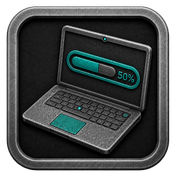
Wait until flashing is complete while monitoring the progress bar. A detailed report will be generated, and your selected features will be ready to use.

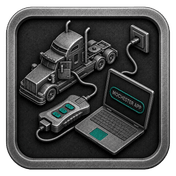


What is Volvo CE Fault Codes Reading?
Reading fault codes for Volvo CE refers to the method of recognizing and understanding the DTCs that get recorded in the control modules of Volvo Construction Equipment. System failure is an inevitable part of maintenance for any kind of machinery, be it excavators, loaders, or haulers. That is why the purpose of this technique is to identify a faulty system early and assist operators and technicians to pinpoint the problem, reduce the time the equipment is not operational, and maintain the machinery in an efficient working condition.
Involves diagnosing and identifying issues in the systems of Volvo Construction Equipment (CE) systems.
This process empowers automotive technicians and operators to detect and analyze errors and malfunctions that might arise in various components and systems of Volvo CE vehicles, including their diverse range of machinery such as excavators, articulated haulers, asphalt pavers, wheel loaders, compactors, demolition equipment, mini excavators, pipe layers, backhoe loaders, skid steer loaders, motor graders, crawlers, cold planers, soil compactors, material handlers, tracked pavers, tandem asphalt rollers, compact wheel loaders, and planers.
About the Mochester App (M4 App)
Our the Mochester App provides the convenience of accessing error codes stored in the electronic memory of Volvo CE control units for free. This application allows users to easily identify and address malfunctions to help restore normal operation to Volvo CE vehicles.
Advantages and Disadvantages of Volvo CE Fault Codes Reading
Advantages:
- Fast repairing of issues made possible with rapid identification of problems.
- Affordable error resolution due to expensed error codes from the Mochester app.
- Lowered likelihood of Volvo CE vehicle malfunctions make the vehicles safer and more reliable.
Disadvantages:
- Reliance on specialized tools and faults code interpretation software
- Possibility of complicating factors in the correct interpretation of error codes.
Conclusion
Reading Volvo CE Fault Codes helps maintain Volvo CE vehicles’ optimal operation and reliability. Specific diagnosis and resolution of issues using the Mochester App, among other tools, is key for Volvo CE operations safety and efficiency.
FAQ
How to tune the Volvo CE via the Mochester App (M4 App)?
Is there a fee associated with using the Mochester App (M4 App) for fault code reading?
No, there is no fee for using the Mochester App for fault code reading. It offers free accessibility to error codes stored in the electronic memory of Volvo CE control units.
How do Volvo CE fault codes work?
Fault codes of Volvo CE translate problems identified by the sensors which are supervising various components of the vehicle. Once the issue is identified by the sensor, it sends an alert to the control module of the engine. The challenge is the warning light on the dashboard is switched on.
Is the Mochester App (M4 App) compatible with other brands?
M4 App caters to a range of companies, such as Mack, Renault, Volvo, UD trucks, Prevost buses, and Volvo CE.
Can the Mochester App read fault codes for Volvo CE?
The Mochester App (M4 App) can read and show fault codes for quick diagnostics for most Volvo CE machines.
Why are fault codes important?
The purpose of fault codes is to capture the issues on the engine, sensors and other systems before they develop into major failures. The use of fault codes decreases downtime.
Do I need special equipment for fault code reading?
Yes, to get to the ECU data, you generally need a diagnostic adapter and software such as the M4 App.
How does fault code reading help maintenance?
Fault code reading really helps maintenance technicians who can do repairs more quickly because the fault is easier to identify and locate.