


Renault Truck Fault Codes Reading
Mochester App Fault Codes Read solutions for:
How to get
1. Select a Service
Check available tuning solutions in the Mochester App for your truck.
2. Pay for Your Order
Top up your wallet on https://dl.ge/ for the amount of the chosen solutions.
3. Get Your Solution
Return to the Mochester App and get the solutions.




15+ Years of Experience
Professional ECU programming for commercial vehicles since 2009.

Official DrunkLab Software
Original engineering solutions developed by the DrunkLab team.

Fast Turnaround
Most tuning sessions are completed in 25 minutes or less.

Compatibility Table
Model | Type | Year | Adapter | Link |
|---|---|---|---|---|
All | All | All | RP 1210 |
How to use the Mochester App
Download
Install and launch the Mochester App. Sign in using your dl.ge account and click Login.
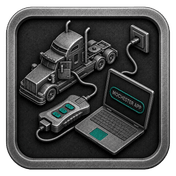
Connect
Tap Start Connecting, follow the on-screen steps, and wait while your vehicle is identified. Click Next to load available tuning solutions.
Top-Up
On dl.ge, open Wallet, select WALLET TOP-UP, enter the required amount, complete the payment, then return to the Mochester App.
Proceed to tuning
Select one or more tuning solutions, click Next, confirm with your one-time password, and wait while the download completes and flashing starts automatically.
Processing
Wait until flashing is complete while monitoring the progress bar. A detailed report will be generated, and your selected features will be ready to use.
What is Renault Truck Fault Codes Reading through the Mochester App (M4 App)?
Renault Truck Fault Code Reading allows customers to read Diagnostic Trouble Codes (DTC) to help them with the troubleshooting process. Diagnostics via the Mochester App allows truck owners and technicians to read Fault codes, which will allow users to diagnose system failures, DTC will help with minimizing the time the truck is off the road with help from the app in maintaining the vehicle’s optimal performance.
Troubleshooting and repairing the new, complex, and highly technological advanced trucks are becoming more difficult. To streamline this process, the trucking industry has adopted a standardized truck fault code system. This system allows mechanics to precisely identify and address problems, ensuring efficient maintenance and operation.
Advantages of Using the Mochester App (M4 App)
Truck owners and mechanics alike can benefit from the Mochester App. First, the app offers free error readings for many truck and bus makes and models like Mack, Volvo, Renault, and UD, as well as, Volvo CE and Volvo Penta post-2004. Furthermore, the app's design allows even novices to easily identify faults.
Renault Truck Fault Codes Reading Advantages and Disadvantages
Advantages:
- Enhanced Diagnostic Capability: Fault codes for trucks provide a simpler approach for determining problems, leading to faster and more precise fixes.
- Improved Maintenance: Accessing fault codes means maintenance can be performed proactively. This reduces downtime while also minimizing the chances of costly repairs.
- Increased Safety: By promptly addressing issues indicated by fault codes, the safety of both drivers and other road users is enhanced.
Disadvantage:
- Dependency on Technology: Reliance on electronic diagnostic systems means that mechanical troubleshooting skills may decline, leading to potential over-reliance on technology.
Conclusion
The Mochester App is a sophisticated solution for tuning a truck to enhance its performance in an environmentally compliant manner. For truck owners who are looking to improve their vehicles after purchase, having user remote support, easy to use, and a system that works with various truck brands means it is a must have to support their needs.
FAQ
How to tune the Renault Truck via the M4 App?
What are truck DTC (Diagnostic Trouble Codes)?
Truck DTCs are standardized diagnostic trouble codes which help in identifying truck system issues for faster maintenance.
How do truck fault codes function?
Mechanics receive repair prompts when codes link with sensor-detected issues on trucks.
Why are truck trouble codes pivotal?
For fleet maintenance, truck trouble codes are essential for early issue detection and corrective action.
Is it possible to read fault codes using the Mochester App?
Yes, the app provides a means to diagnose faults with limited or no need to visit a dealership.
What problems do fault codes show?
System related issue for engine, transmission, emissions, electrical, sensors and communications show as fault codes.