


Volvo CE HP Uprate
Mochester App HP Uprate solutions for:
How to get
1. Select a Service
Check available tuning solutions in the Mochester App for your truck.
2. Pay for Your Order
Top up your wallet on https://dl.ge/ for the amount of the chosen solutions.
3. Get Your Solution
Return to the Mochester App and get the solutions.




15+ Years of Experience
Professional ECU programming for commercial vehicles since 2009.

Official DrunkLab Software
Original engineering solutions developed by the DrunkLab team.

Fast Turnaround
Most tuning sessions are completed in 25 minutes or less.

Compatibility Table
Model | Type | Year | Adapter | Link |
|---|---|---|---|---|
D4J | CE | 20xx-20xx | RP 1210 | |
D6J | CE | 20xx-20xx | RP 1210 | |
D8J | CE | 20xx-20xx | RP 1210 | |
D8M | CE | 20xx-20xx | RP 1210 | |
D11E | CE | 20xx-20xx | RP 1210 | |
D11L | CE | 20xx-20xx | RP 1210 | |
D11M | CE | 20xx-20xx | RP 1210 | |
D13J | CE | 20xx-20xx | RP 1210 | |
D16J | CE | 20xx-20xx | RP 1210 | |
D16E | CE | 20xx-20xx | RP 1210 |
How to use the Mochester App
Download
Install and launch the Mochester App. Sign in using your dl.ge account and click Login.
Connect
Tap Start Connecting, follow the on-screen steps, and wait while your vehicle is identified. Click Next to load available tuning solutions.
Top-Up
On dl.ge, open Wallet, select WALLET TOP-UP, enter the required amount, complete the payment, then return to the Mochester App.
Proceed to tuning
Select one or more tuning solutions, click Next, confirm with your one-time password, and wait while the download completes and flashing starts automatically.
Processing
Wait until flashing is complete while monitoring the progress bar. A detailed report will be generated, and your selected features will be ready to use.




What is Volvo CE HP uprate?
The Volvo CE HP uprate is an example of a tuning solution that raises both the power and torque output of the engine by modifying the software that controls the engine. HP uprate is done by the software modifications of management of fuel, boost, torque, and mapping. The uprate helps the user to get the most from their machine by improving its efficiency, productivity, and performance without the need for any additional physical modifications to the engine.
Volvo Construction Equipment (CE) is significant in today's world of construction and heavy machinery. For some manufacturers, they may not respect not revealing the complete truth about the engine specs, this may be due to environmental purposes, strategic engine life tailoring, or for marketing objectives. However, as operational needs increase, so does the need for HP uprate. Volvo CE vehicles can be provided with a power upgrade with minimal adjustments to factory firmware with no compromise to engine durability. The upgrade involves the modification of fuel injection, turbine pressure, engine fuel maps, engine torque maps and engine maps.
Volvo CE encompasses a wide array of machinery, including excavators, articulated haulers, asphalt pavers, wheel loaders, compactors, demolition equipment, mini excavators, pipe layers, backhoe loaders, skid steer loaders, motor graders, crawlers, cold planers, soil compactors, material handlers, tracked pavers, tandem asphalt rollers, compact wheel loaders, and planers.
Benefits of the Mochester App (M4 App)
Mochester App (M4 App) offers exceptional benefits for HP Volvo CE uprate. Power strengthening is easier than ever, because the M4 App removes the need for actual engine modifications. The time-intensive trips to the dealership are also removed with the M4 App remote tuning feature. With the M4 App, you can easily tackle worries you have surrounding the DPF and SCR regarding more environmental issues. Since there are stricter global environmental regulations regarding emissions, this is a critical feature of the M4 App. The M4 App offers benefits for numerous machineries in the Volvo CE area, including wheel loaders, excavators, asphalt pavers, and articulated haulers.
Advantages and Disadvantages of Volvo CE HP Uprate Solution
Advantages:
- Optimizing Engine Parameters: Adjusting different parameters of the engine helps Compact Loaders, Skid Steer Loaders, and Backhoe Loaders to run in their optimal working conditions.
- Increased Torque Results in Improved Power Reserves: Improved torque increases power reserves and helps the operation of Mini Excavators, Pipe Layers and Motor Graders run smoothly.
- Increased Power Output Results in Easier Operation and Less Fuel Consumption: Improved power output increases the efficiency of operation of Crawlers, Demolition Equipment and Compact Wheel Loaders.
- Greater Efficiency for All Volvo CE Machines without Compromising Safety and Environment: This is maximizing all Volvo CE Machines efficiency and productivity without compromising safety and environment standards.
Disadvantages:
- Warranty Results: Depending on the specific manufacturer’s policies, it may be the case that uprate HP will have the result of warranty coverage for equipment such as material handlers, cold planers, and soil compactors being impacted.
Conclusion
Expanding possibilities while entrenching high environmental standards is the essence that captures performance optimization in the Volvo CE HP uprate. The advancement of the Mochester app allows for an easy and quick access to increased capabilities. With the M4 app, future vehicle tuning is streamlined, while simultaneously enhancing productivity and diminishing operational expenses across the entire lineup of Volvo CE equipment.
FAQ
How to tune the Volvo CE via the Mochester App (M4 App)?
How do you implement HP uprate on Volvo CE?
This process typically involves ECU access the engine control unit and tuning software changes to the firmware.
How much horsepower can be added through HP uprate?
Increasing horsepower varies from model to model within the Volvo CE line and the specific engine configuration and the goals behind the valve tuning. An HP uprate may increase horsepower as much as 40% in some cases, but actual gains are always going to be different.
Can HP uprate void my vehicle's warranty?
Whether or not vehicle warranty may be impacted with HP uprate depends on scan and condition set by manufacturer. Just check your warranty documentation.
Can HP uprate be performed remotely?
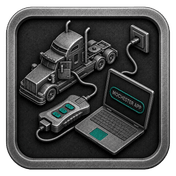
Yes. The Mochester App allows supported Volvo CE equipment to receive HP uprate solutions remotely using a compatible diagnostic adapter and laptop.
How much power can HP uprate add?
Power gains vary by engine and machine model. Depending on the application, some engines may achieve significant increases in horsepower and torque through software optimization.
Does HP uprate require hardware modifications?
No. HP uprate is typically performed through engine software calibration without requiring physical engine modifications.
Which Volvo CE machines support HP uprate?
Almost all Volvo CE machines are supported. These include excavators, wheel loaders, articulated haulers, graders, compactors, pavers and many more construction machines.