


UD Truck ECU Stock
Mochester App ECU Stock (Firmware programming) solutions for:
How to get
1. Select a Service
Check available tuning solutions in the Mochester App for your truck.
2. Pay for Your Order
Top up your wallet on https://dl.ge/ for the amount of the chosen solutions.
3. Get Your Solution
Return to the Mochester App and get the solutions.




15+ Years of Experience
Professional ECU programming for commercial vehicles since 2009.

Official DrunkLab Software
Original engineering solutions developed by the DrunkLab team.

Fast Turnaround
Most tuning sessions are completed in 25 minutes or less.

Compatibility Table
Model | Type | Year | Adapter | Link |
|---|---|---|---|---|
D7G | Truck | 2010-2013 | RP1210 | |
D11H | Truck | 2010-2013 | RP1210 | |
D11 | Truck | 2014-PT | RP1210 |
How to use the Mochester App
Download
Install and launch the Mochester App. Sign in using your dl.ge account and click Login.
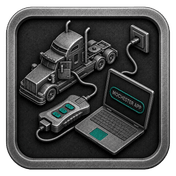
Connect
Tap Start Connecting, follow the on-screen steps, and wait while your vehicle is identified. Click Next to load available tuning solutions.
Top-Up
On dl.ge, open Wallet, select WALLET TOP-UP, enter the required amount, complete the payment, then return to the Mochester App.
Proceed to tuning
Select one or more tuning solutions, click Next, confirm with your one-time password, and wait while the download completes and flashing starts automatically.
Processing
Wait until flashing is complete while monitoring the progress bar. A detailed report will be generated, and your selected features will be ready to use.

What is UD Truck ECU Stock through the Mochester App?
UD Truck ECU Stock Programming via the Mochester App provides a restoration service for the ECU to factory settings. The M4 App provides ECU diagnostics and a means to revert to factory settings. This is a suitable service for replacing an ECU, troubleshooting factory software issues, failed tuning, and when a truck is being prepped for sale.
The ECU or the electronic control unit is the central command system of your truck. It also observes the engine, transmission, and multiple other systems. Your truck's safety and performance can be put at risk without a properly working ECU. The ignition control, fuel management and exhaust gas control are all functions of the ECU. Signs of an ECU malfunction include stalling engines and persistent error codes. These should all be checked to ensure safe use of the truck.
Benefits of Using the Mochester App (M4 App)
The Mochester App lets you pinpoint the ECU problem and troubleshoot it accurately. The Mochester App simplifies finding faults in your truck’s ECU and restoring your previous firmware. Whether you have a new ECU, have experienced software issues, or want to reset it for resale, the Mochester App is the easiest solution for ECU.
UD Truck ECU Stock Advantages and Disadvantages
Advantages:
- Reliability and Stability: All ECUs are tested and built for a variety of driving conditions. Stock ECUs will be reliable in a wider variety of conditions.
- Warranty and Support: Using a stock ECU means that your trucks warranty will remain intact and you'll get continued support from the manufacturer. This is a great perk for people with new or leased vehicles.
- Emission Compliance: Every truck has standard ECUs which ensures your truck is compliant with emissions standards. These controls ensure your truck is environment friendly.
- Ease of Use: Because the stock ECU is already installed, there is no need to deal with ECU installation or compatibility issues making it the easiest option for truck owners.
Disadvantage:
- Dependency on Manufacturer Database: Every vehicle comes with a stock ECU which contains a default setting. This means that restictions are set for possible tailoring for certain performance attributes.
Conclusion
The Mochester App provides a convenient and affordable option for resetting ECU firmware to its factory settings. The Mochester App guarantees your UD Truck operates smoothly and safely. Remote tuning and fault codes reading are offered free of charge.
FAQ
How to tune the UD Truck via the M4 App?
How can I identify signs of ECU malfunction in my truck?
If your engine cuts out, struggles to start, has reduced power, or displays “Check Engine” lights frequently, these may be signs of an ECU malfunction.
What are the benefits of using the Mochester App application for ECU diagnostics?
The Mochester App allows for free truck error diagnosis and offers a tuning solution to revert the ECU firmware to its stock settings.
Is restoring ECU firmware to stock settings a complex process?
Definitely, the Mochester App makes restoring ECU firmware to stock settings simple and intuitive.
When is it necessary to reset ECU firmware to stock?
Restoration of the ECU to stock is usually recommended after replacement of the ECU, failed installation of software, and during troubleshooting, or before the sale of the vehicle to the new owner.
Can the Mochester App help to identify the issues with the ECU?
Absolutely, the Mochester App has various tools to identify faults of the ECU, read error codes and perform troubleshooting steps prior to restoring the stock firmware.