


UD Truck Configuration Tuning
Mochester App Configuration Tuning solutions for:
How to get
1. Select a Service
Check available tuning solutions in the Mochester App for your truck.
2. Pay for Your Order
Top up your wallet on https://dl.ge/ for the amount of the chosen solutions.
3. Get Your Solution
Return to the Mochester App and get the solutions.




15+ Years of Experience
Professional ECU programming for commercial vehicles since 2009.

Official DrunkLab Software
Original engineering solutions developed by the DrunkLab team.

Fast Turnaround
Most tuning sessions are completed in 25 minutes or less.

Compatibility Table
Model | Type | Year | Adapter | Link |
|---|---|---|---|---|
DD11 | Truck | 2014-PT | RP 1210 |
How to use the Mochester App
Download
Install and launch the Mochester App. Sign in using your dl.ge account and click Login.
Connect
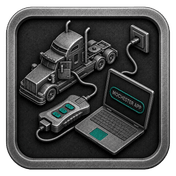
Tap Start Connecting, follow the on-screen steps, and wait while your vehicle is identified. Click Next to load available tuning solutions.
Top-Up
On dl.ge, open Wallet, select WALLET TOP-UP, enter the required amount, complete the payment, then return to the Mochester App.
Proceed to tuning
Select one or more tuning solutions, click Next, confirm with your one-time password, and wait while the download completes and flashing starts automatically.
Processing
Wait until flashing is complete while monitoring the progress bar. A detailed report will be generated, and your selected features will be ready to use.
What is UD Truck Configuration Tuning through the Mochester App?
UD Truck Configuration via the Mochester App allows owners to personalize truck configurations via the App following component and equipment changes. M4 App enables remote tuning of the gearbox, cooling, and other adjustable features. This service sustains the balance of the components added to the truck and the truck’s electronic system, while increasing truck reliability and performance.
Do you want to improve your UD truck performance through configuration tuning? Look no further! With our UD Truck Configuration Tuning service through the Mochester App, we allow you complete tuning service, so you can adapt your truck settings in line with your requirements.
Advantages of Using the Mochester App (M4 App)
- Customization: Post purchase equipment changes are possible via the Mochester App, so customers can ensure their trucks meet all requirements.
- Simplified Adaptation: Thanks to the Mochester App, adjusting to sudden changes in configuration of the truck is smooth and easy.
- Expanded Options: The M4 app brings more tuning options at the user’s disposal to help meet more needs, improving flexibility and range.
UD Truck DPF Delete Advantages and Disadvantages
Advantages:
- Gearbox Replacement: Whether switching between automatic and manual transmissions, our team ensures smooth operation and optimal performance.
- Fan Type Change: From air to hydraulic or electric fans, we optimize your truck's cooling system for efficiency with newly installed equipment.
- Start-Up Help System: Cold weather calls for heaters for reliable and efficient cold start options.
Disadvantage:
- Limited Compatibility: Although the Mochester App has compatibility with different brands of trucks, it might not be compatible with the older models of the trucks.
Conclusion
The M4 App is perfect if you are a UD truck owner who wants to increase the performance of your truck and make it eco-friendly. It allows you to do remote maintenance and comes with comprehensive assistance and problem-solving tools.
FAQ
How to tune the UD Truck via the M4 App?
Can the Mochester App provide diagnostic tools?
Our app has diagnostics that read error codes and help fix issues with your truck.
Are there specialists that can help with additional tuning questions?
Yes, our specialists will answer any questions you may have in the support chat.
What are the advantages of using the Mochester App for tuning?
The Mochester App improves tuning to help you get the best performance from your truck with added flexibility and availability of diagnostic tools.
Can a new gearbox be tuned?
Yes, the system is designed to accommodate gearbox and transmission tuning.
Is it possible to adjust the cooling system?
Yes, Configuration Tuning can modify the control for air, hydraulic, and electric cooling fan systems.
Does the service allow tuning for cold-start systems?
Yes, cold-start and heater tuning can be done to improve performance of your systems in cold conditions.
Can Configuration Tuning be performed remotely?
Yes. Most configuration procedures can be completed remotely using the Mochester App and a compatible diagnostic adapter.